
1. Enter SpamExperts Dashboard via Client area.
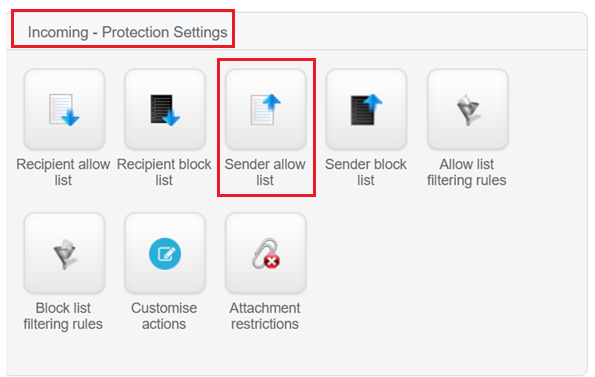
2. After entering, click on "Sender allow list" button located under "Incoming - Protection Settings" section.
3. Click on + Add sender to allow list

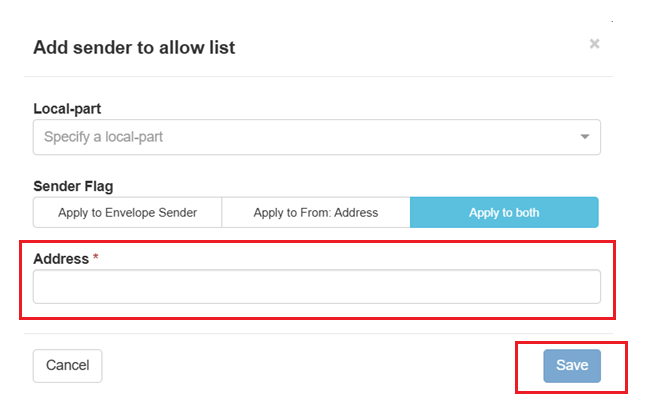
4. Enter the email address or hostname that you wish to allow list and click on Save.
REMARK
You may leave the Local-part empty and just fill the email address that you wish to add to allow list.